Run your driving school from one simple app
Everything for lessons in one place, live instructor tracking, messages with photos, progress charts, availability and holidays, and payments. Here's a closer look.
Every image below is a genuine screenshot of the app. Nothing is mocked up. The pupils, lessons, messages and figures are sample data on a demo account. No real pupil's information appears anywhere on this site.
Live tracking
The moment an instructor presses On the way, their pupil gets a message with an arrival time based on live traffic. Once the instructor is within a 2-mile radius, the pupil gets an automatic update with a fresh arrival time and their home screen switches to a live map with a moving pin. No more "on my way, 10 mins" texts, no forgotten hands-free calls, no guessing.
🔒 Privacy built in: your position stays hidden until you're within a 2-mile radius of the pickup and at least a quarter of a mile from where you set off, so a pupil never sees where you started from, such as your last pupil's home. If the pickup is closer than a quarter of a mile, there's no live map, just the message with your arrival time. Your location is wiped as soon as the trip ends, and the trip record is deleted after 30 days.
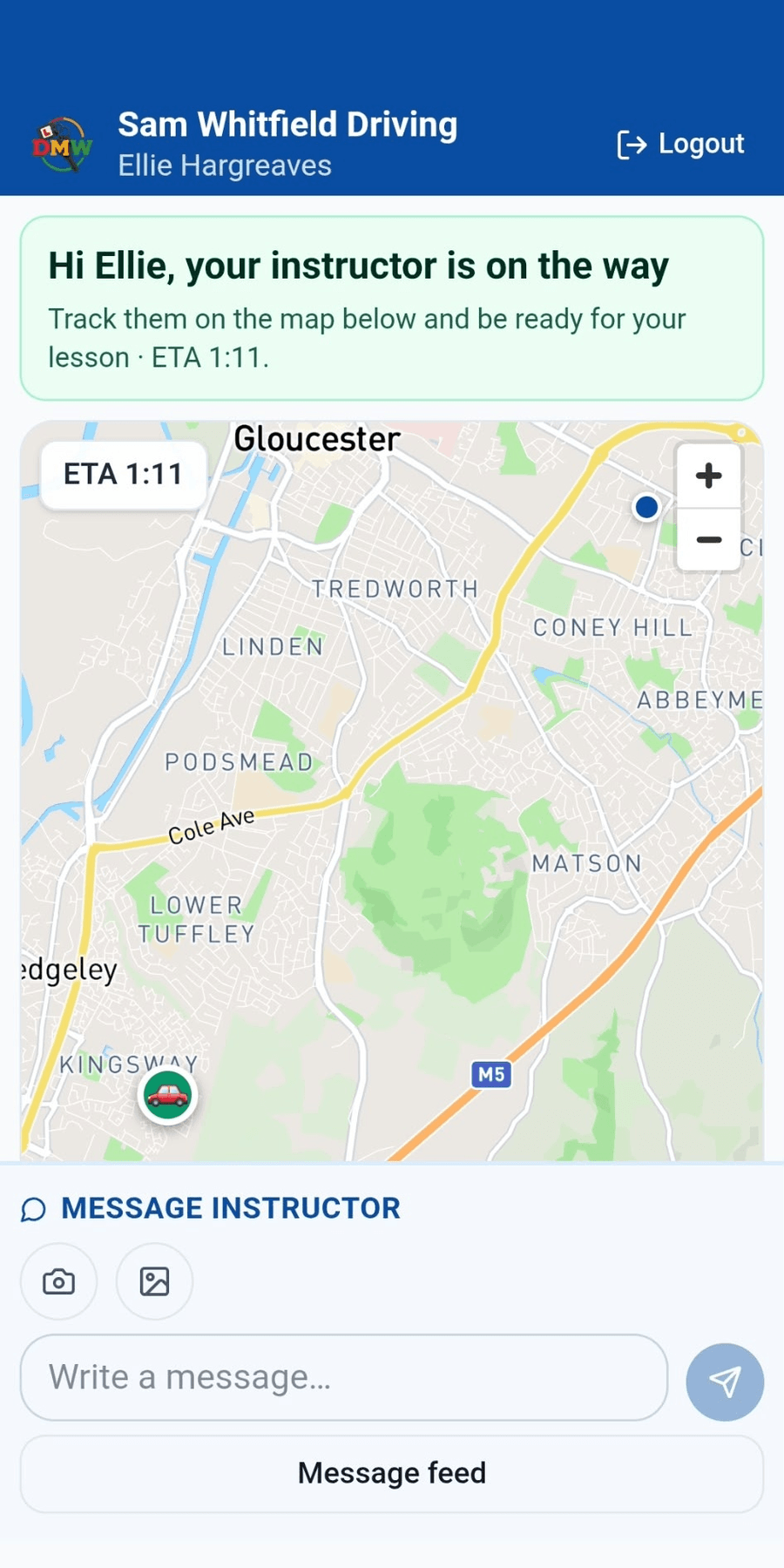
Real screenshot of the pupil app while their instructor is on the way.
Diary & scheduling
Most instructors run two: one for lessons, one for everything else. Then the dentist goes in the wrong one and a pupil gets booked over it. Drive My Way holds your whole week, work and personal, so there is only one place to look, and only one place to get it wrong.
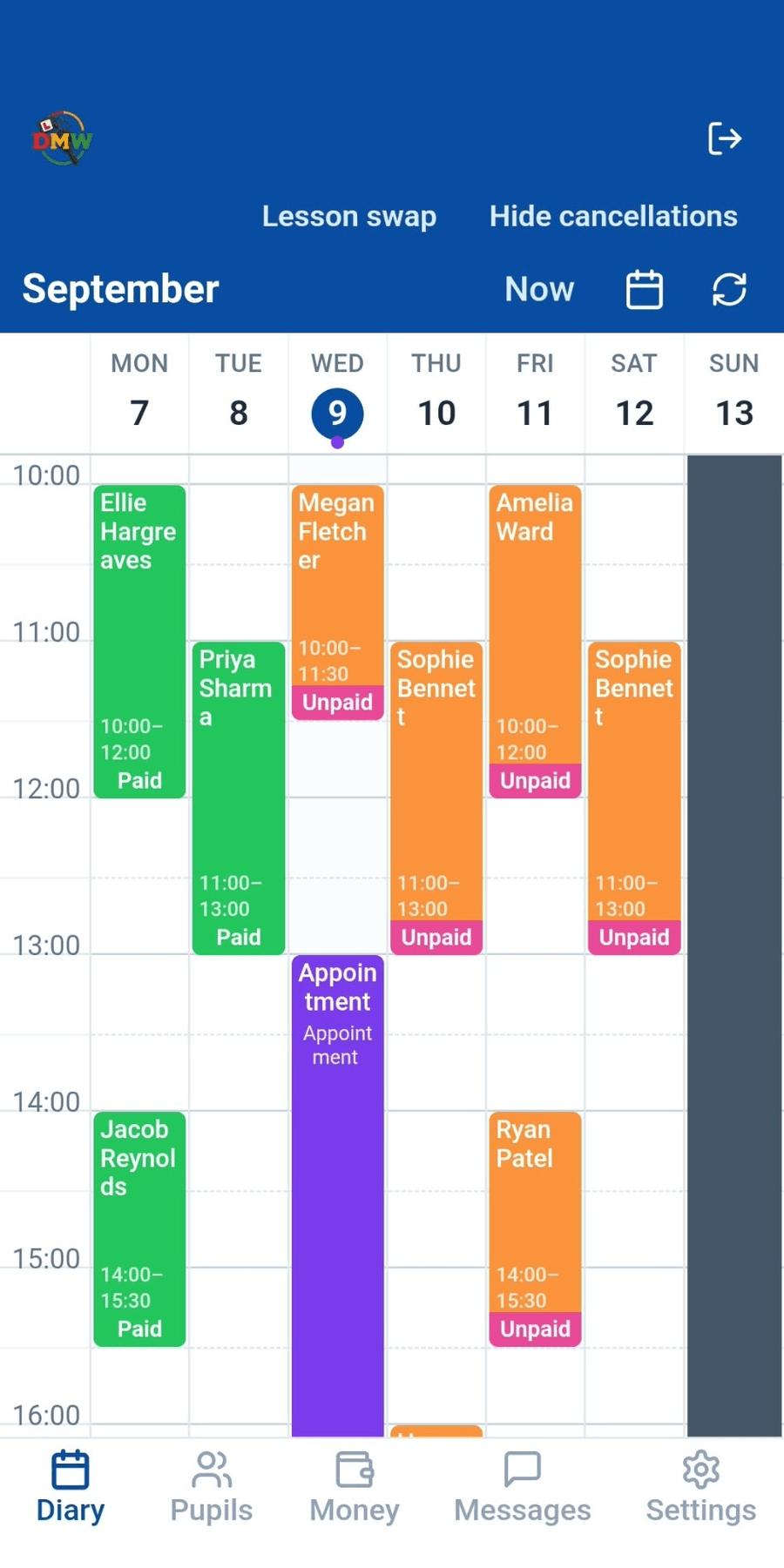
Real screenshot of the diary, week view.
Your pupils
Active, waiting list, enquiries, passed, everyone in one place, with their next lesson and their balance at a glance. No spreadsheet, no scrolling back through messages to work out who owes what.
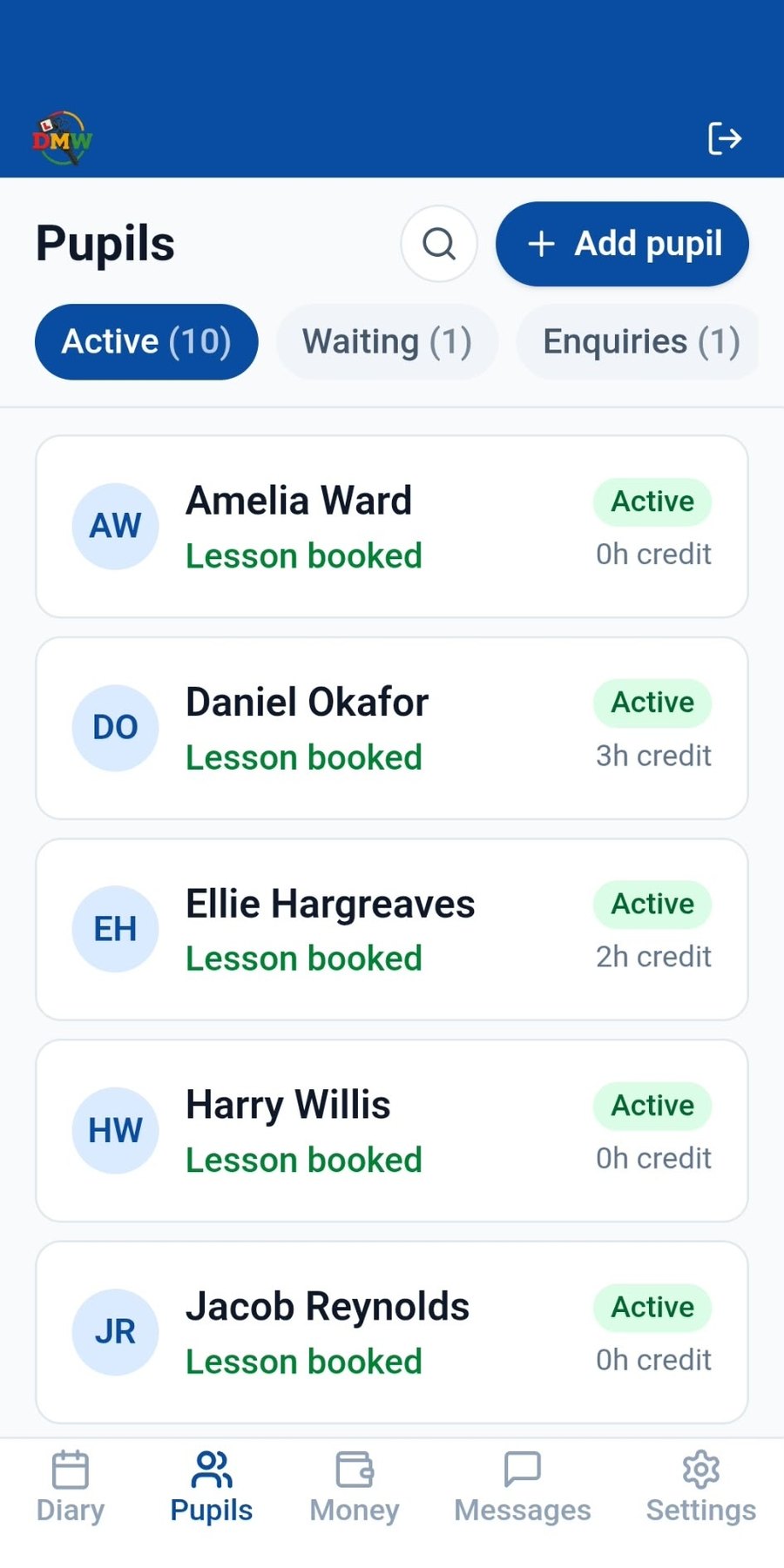
Real screenshot of the pupil list.
Availability & holidays
Instructor holidays show up on the pupil's app. Pupil holidays show up on the instructor's app. Nobody has to ask, guess, or send a "are you away this week?" message. It's just there, on both sides, the moment either of you sets it.
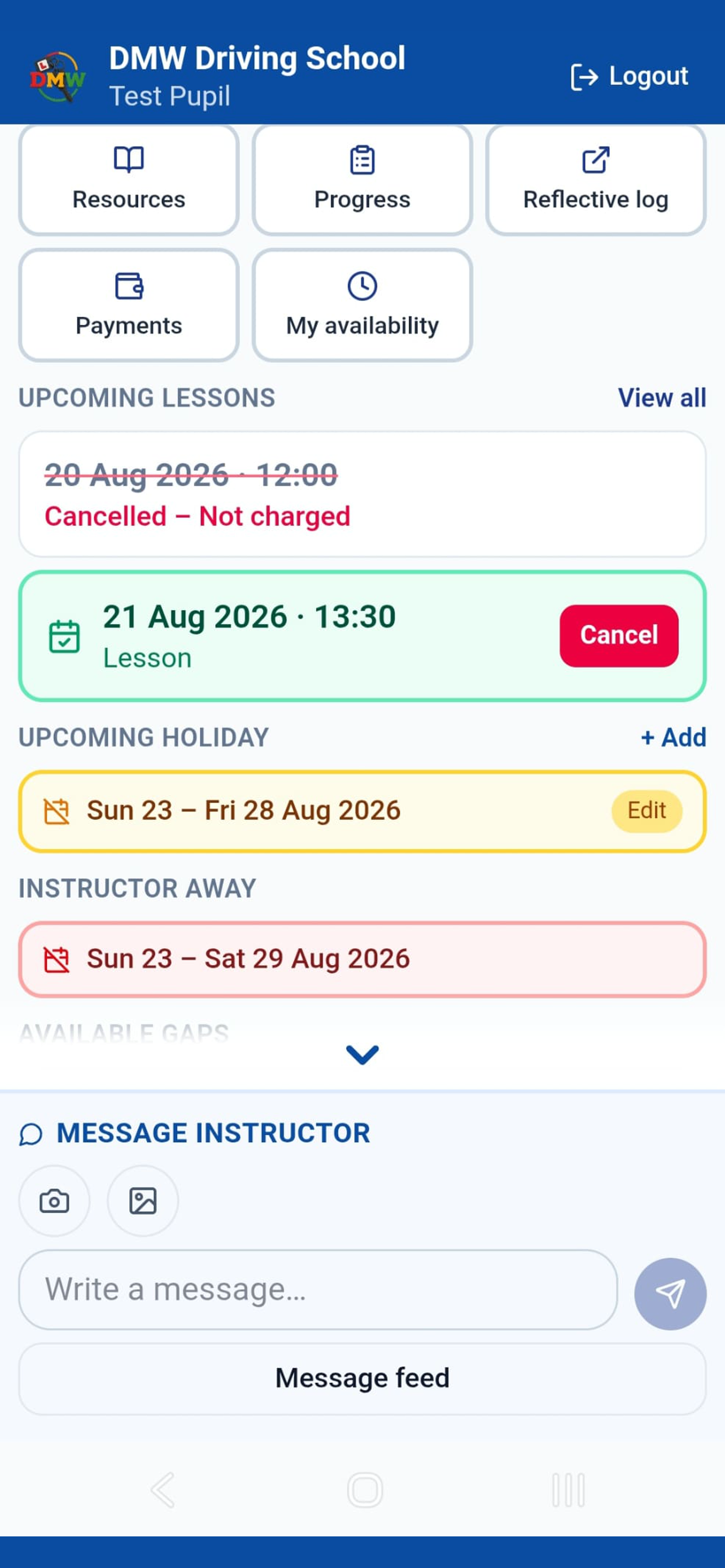
Real screenshot of the pupil app, both the pupil's own holiday and the instructor's away dates, visible together.
Diary & availability
Pupils tick when they're free in My Availability in their app. On your diary, tap Availability, then Pupils Availability, and pick up to 4 pupils. Their free times show on your week in their own see-through colours, fitted around everything that's already booked.
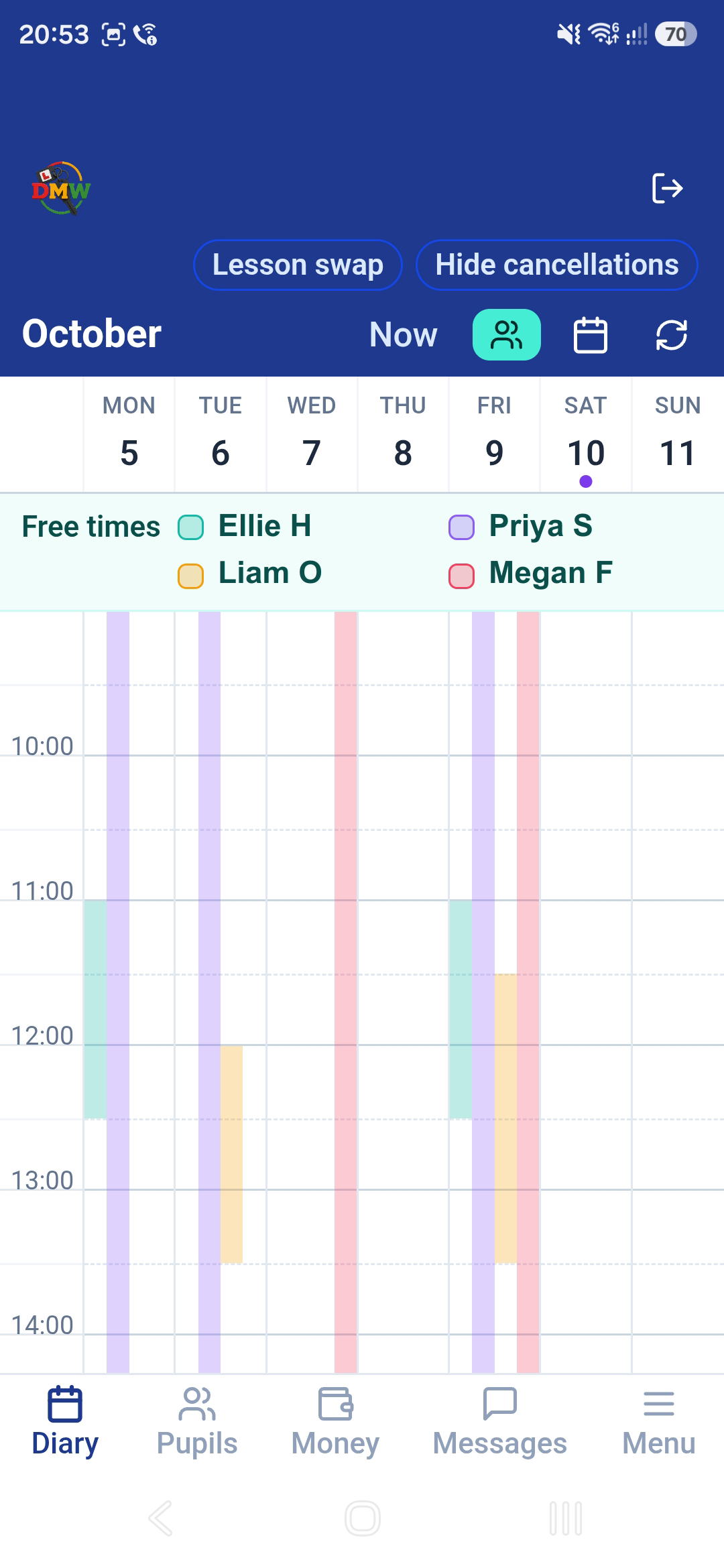
Real screenshot of the app diary with Pupils Availability on. The names are our demo pupils.
Lesson planning
Tap a free slot and pencil a pupil in. It's just a placeholder on your diary at this point, not a booking. Keep it to yourself while you're still working out your week, or reveal it to the pupil straight away. Either way, nothing's locked in until you're ready.
When you are, ask them to confirm with a single tap in their own app. The second they accept, that pencilled-in offer automatically switches into a fully booked lesson, no re-entering it, no separate booking step. Decline it instead, and you're notified straight away so the slot's free again.
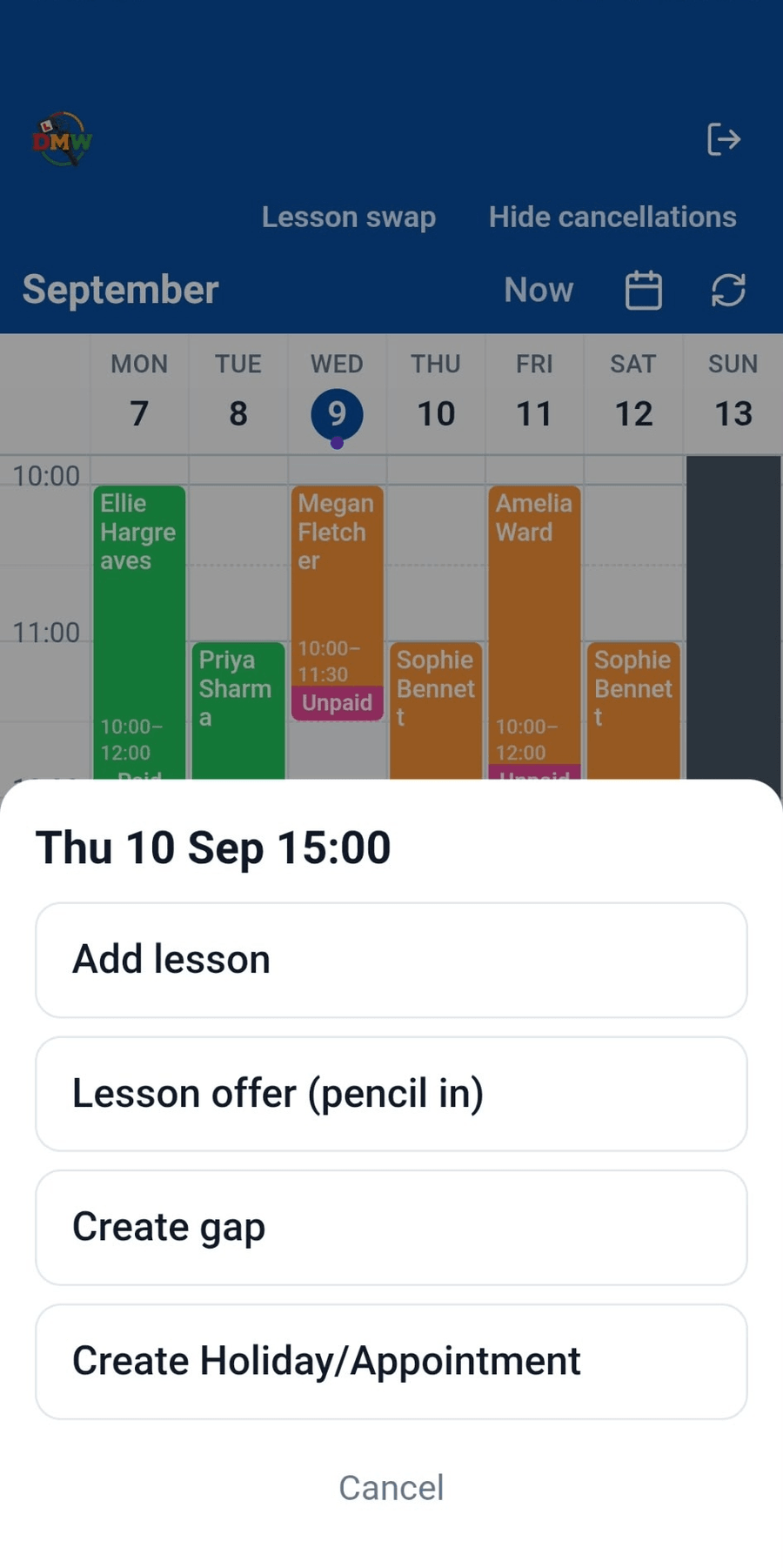
Real screenshot of the diary, tap a slot and choose "Lesson offer (pencil in)".
Quiet hours
Set your own quiet hours, evenings, family time, whatever suits you, and pupil messages sent during that window simply don't ping you. They're not blocked or lost: the pupil can message any time they like, it just waits and lands the moment your quiet hours end, instead of buzzing your phone at 9pm.
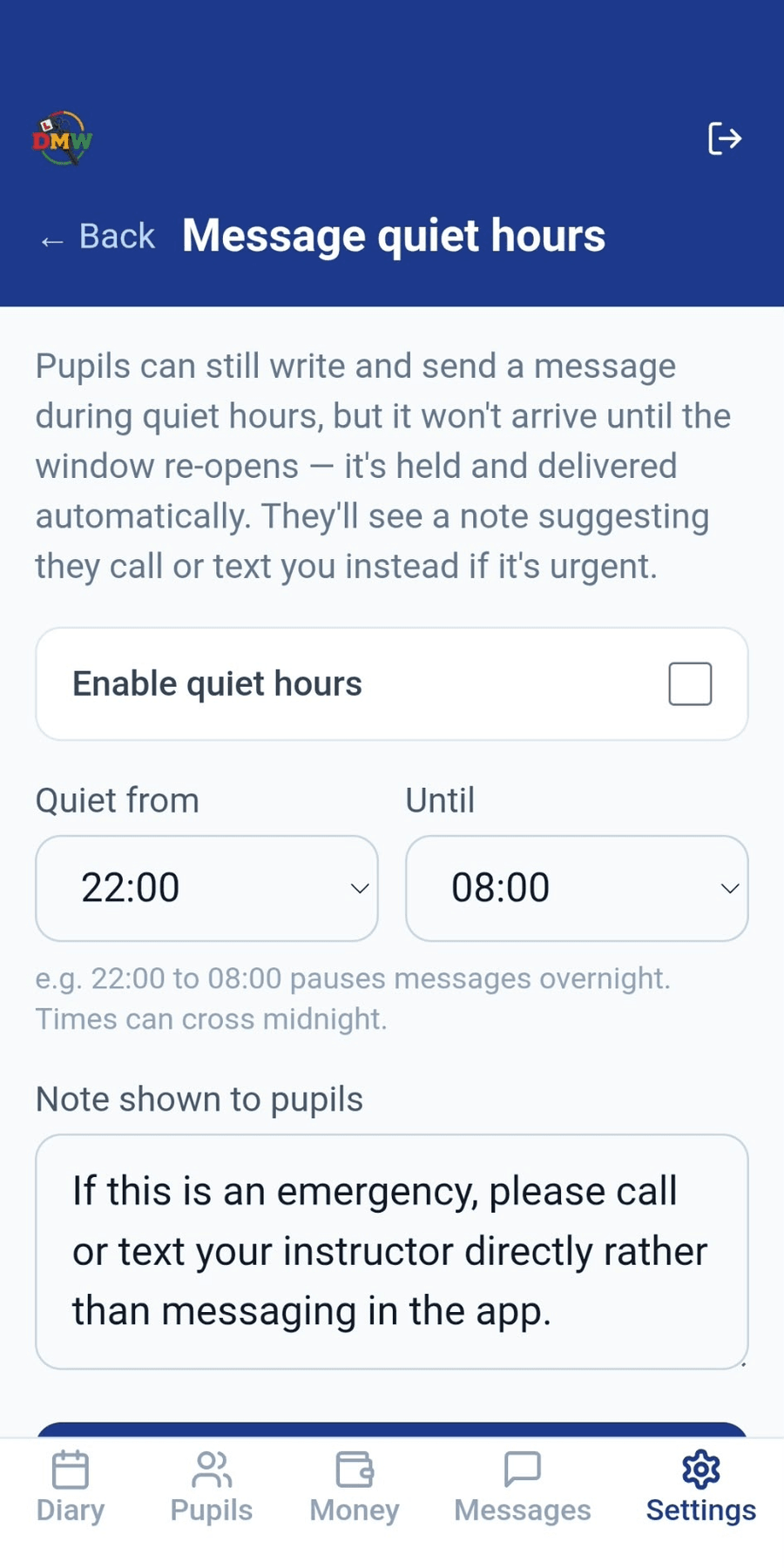
Real screenshot of Settings, Message quiet hours.
Practical tests
The moment a driving test is booked, the app works out the exact cancel-by date and shows it right on the pupil's card, no mental maths, no digging through a diary to check if there's still time.
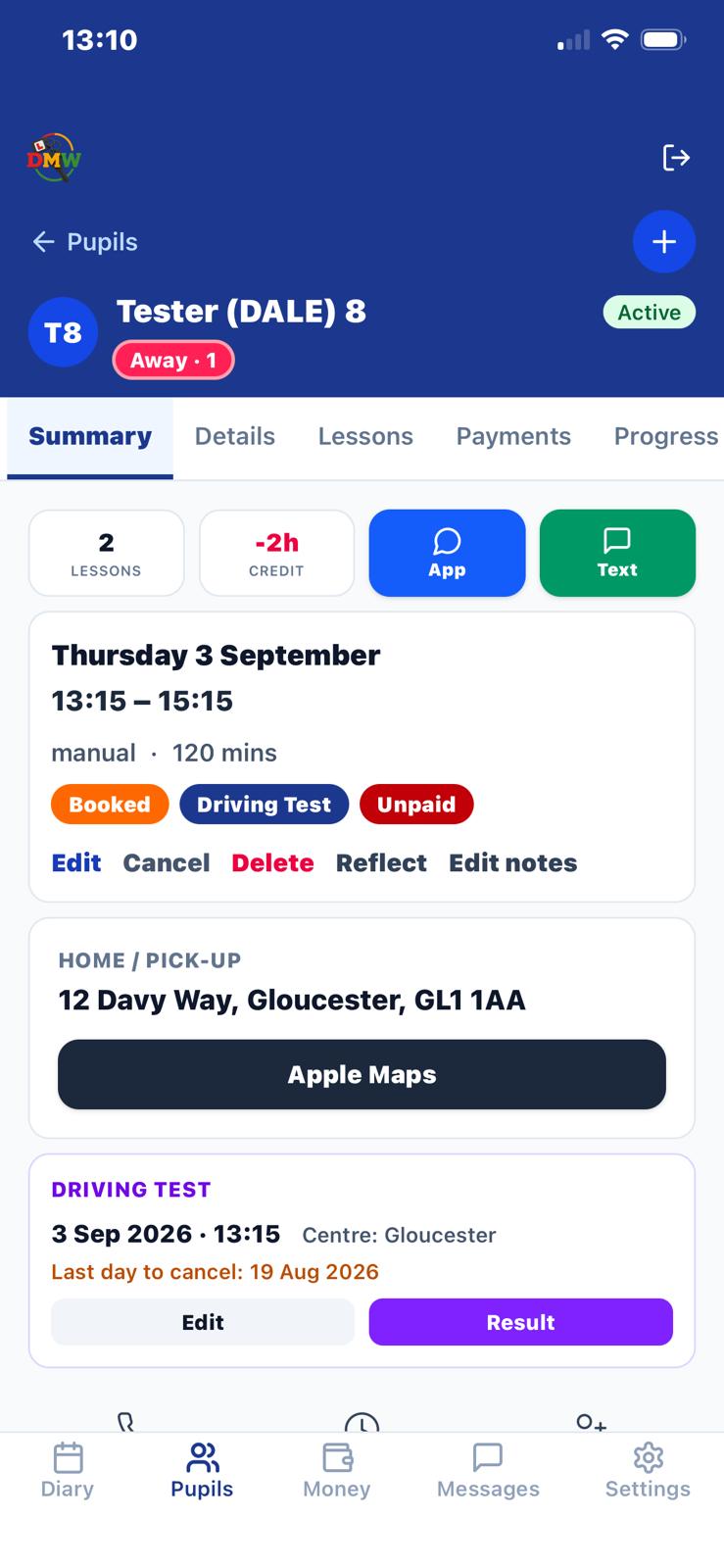
Real screenshot of a pupil's Driving Test card, showing the cancel-by date.
Diary & scheduling
It used to mean deleting one lesson, booking the other pupil into that slot, cancelling their original, then re-booking the first pupil, four separate steps for something that's really just "swap these two times." Now it's one screen.
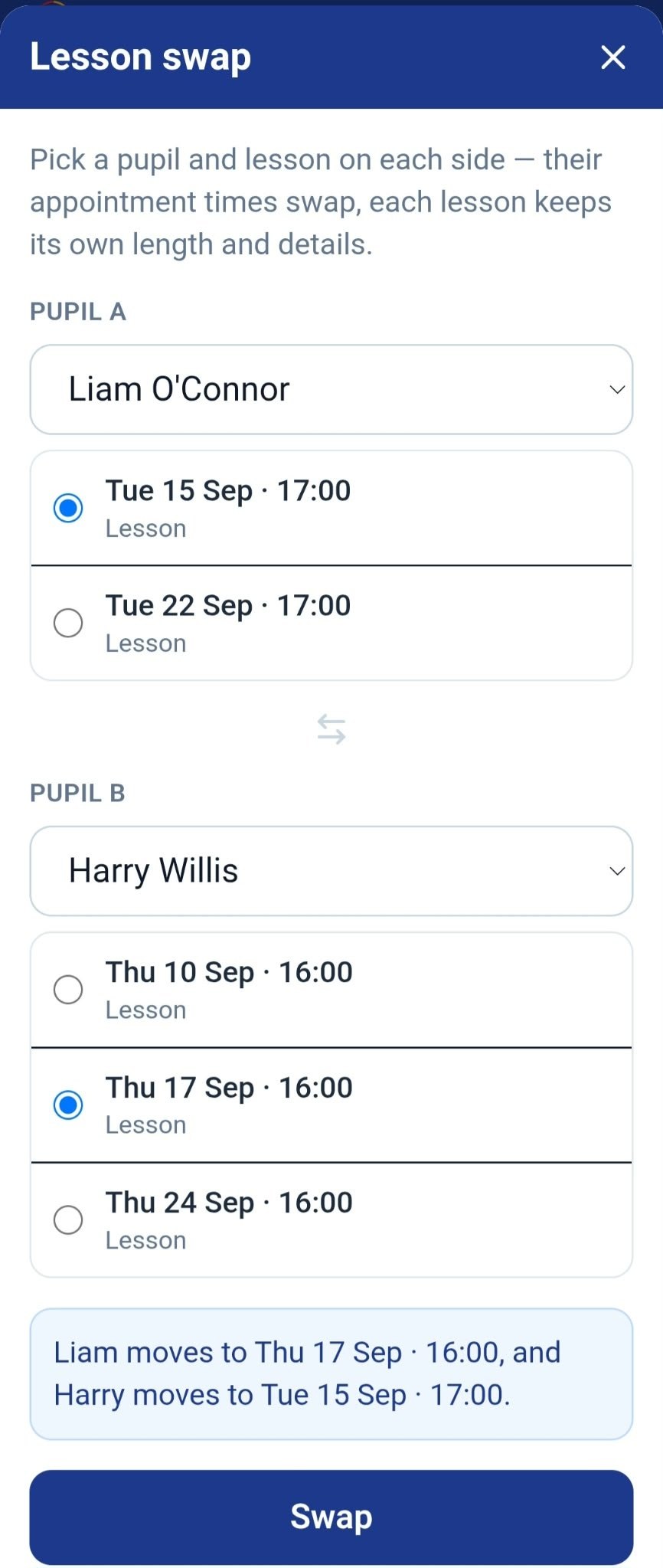
Real screenshot of the Lesson swap screen, opened from the diary.
Messaging
Send a message to every active pupil, then tap it to see the whole list, who's read it, and exactly when, instead of opening each pupil's own conversation one by one to check.
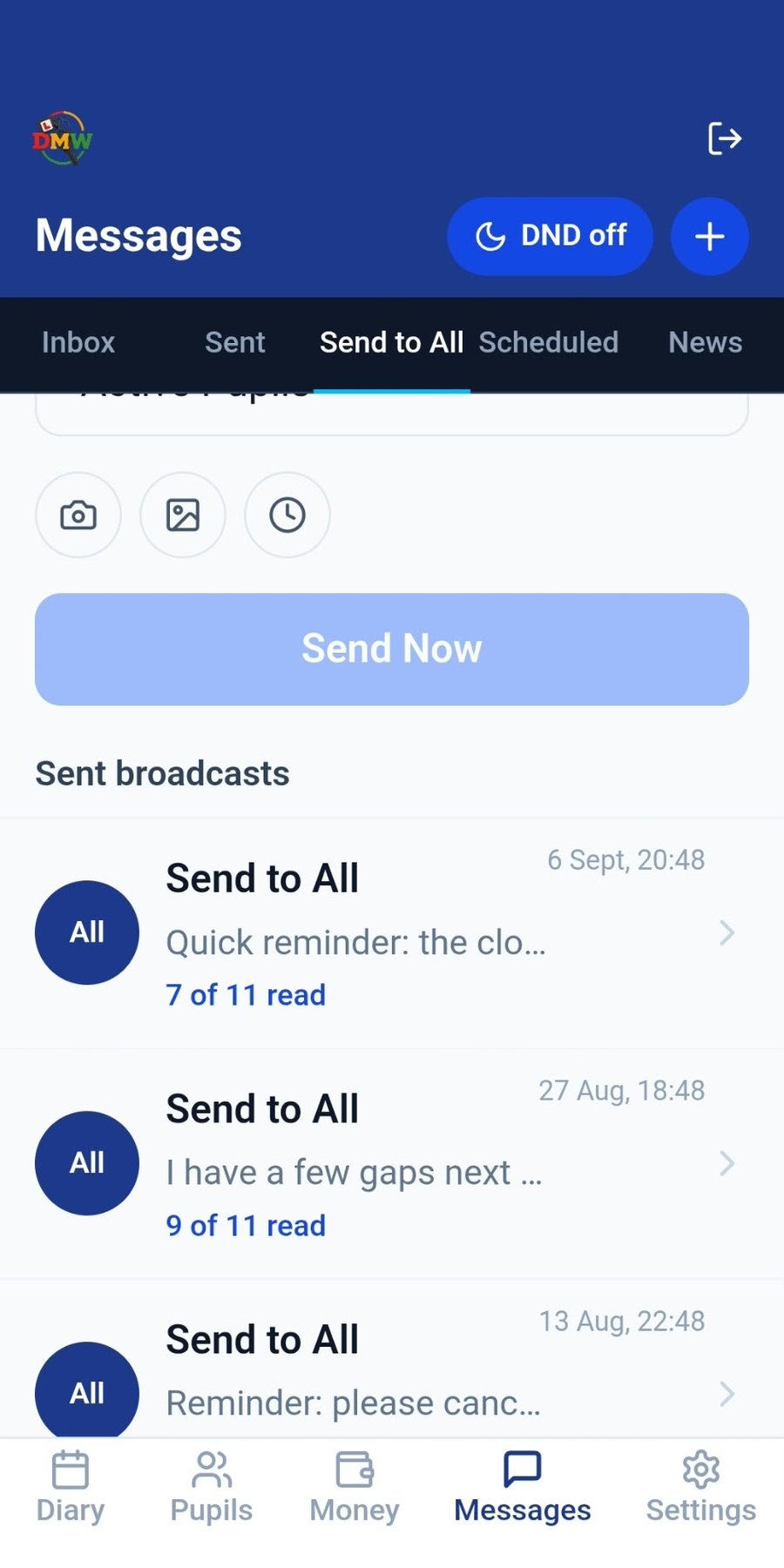
Real screenshot of the Send to All broadcast feed.
Teaching
Some things are easier drawn than described. Pull over, open Road Sketch, and you're looking straight down at the actual road, not a diagram of a road that looks nothing like it.
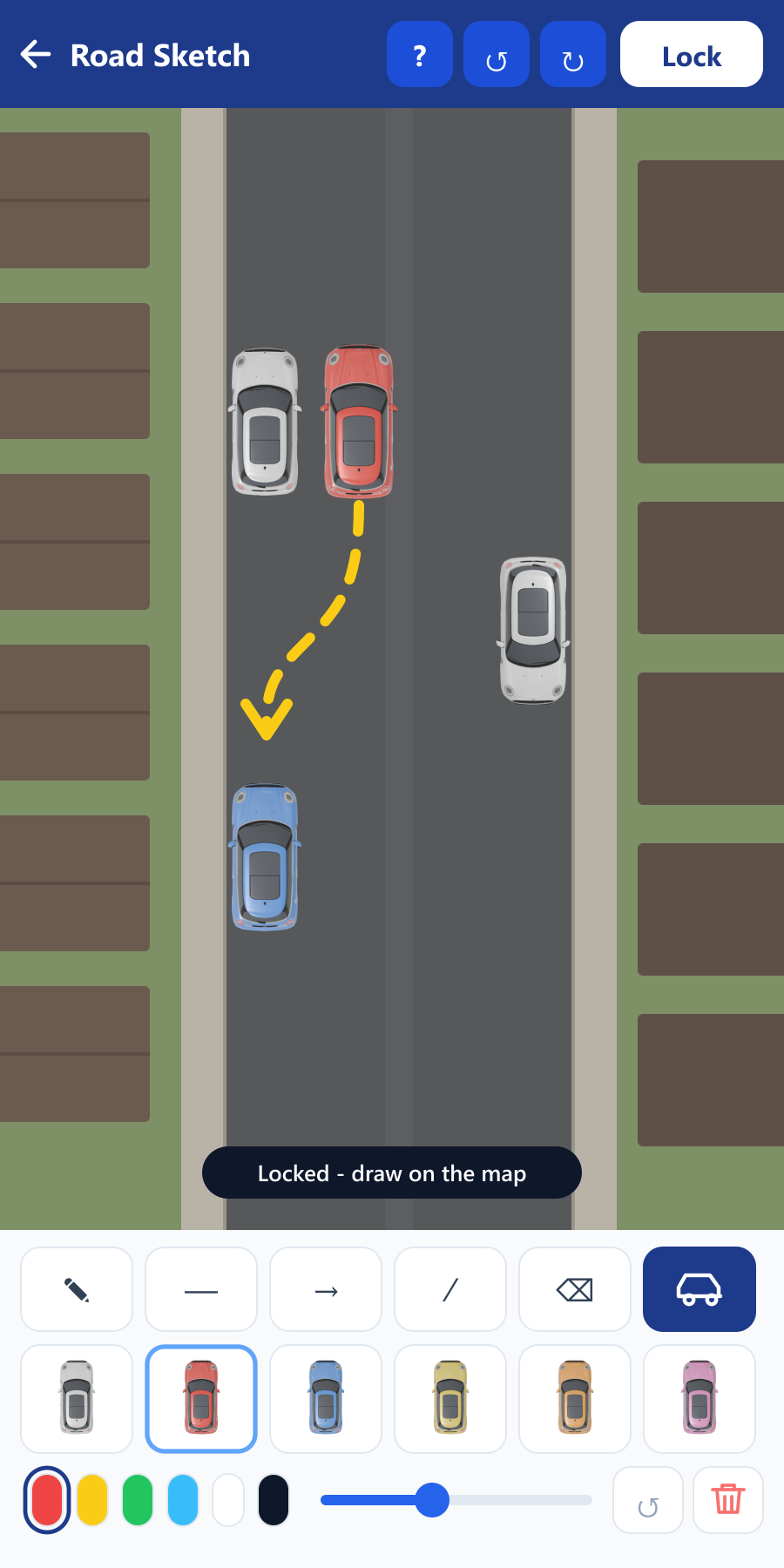
Road Sketch, with a parallel park sketched out.
Filling gaps
Someone cancels and you've got a two-hour hole. Instead of firing it at every active pupil and hoping, the app checks who's on your waiting list and has said they're free at exactly that time.
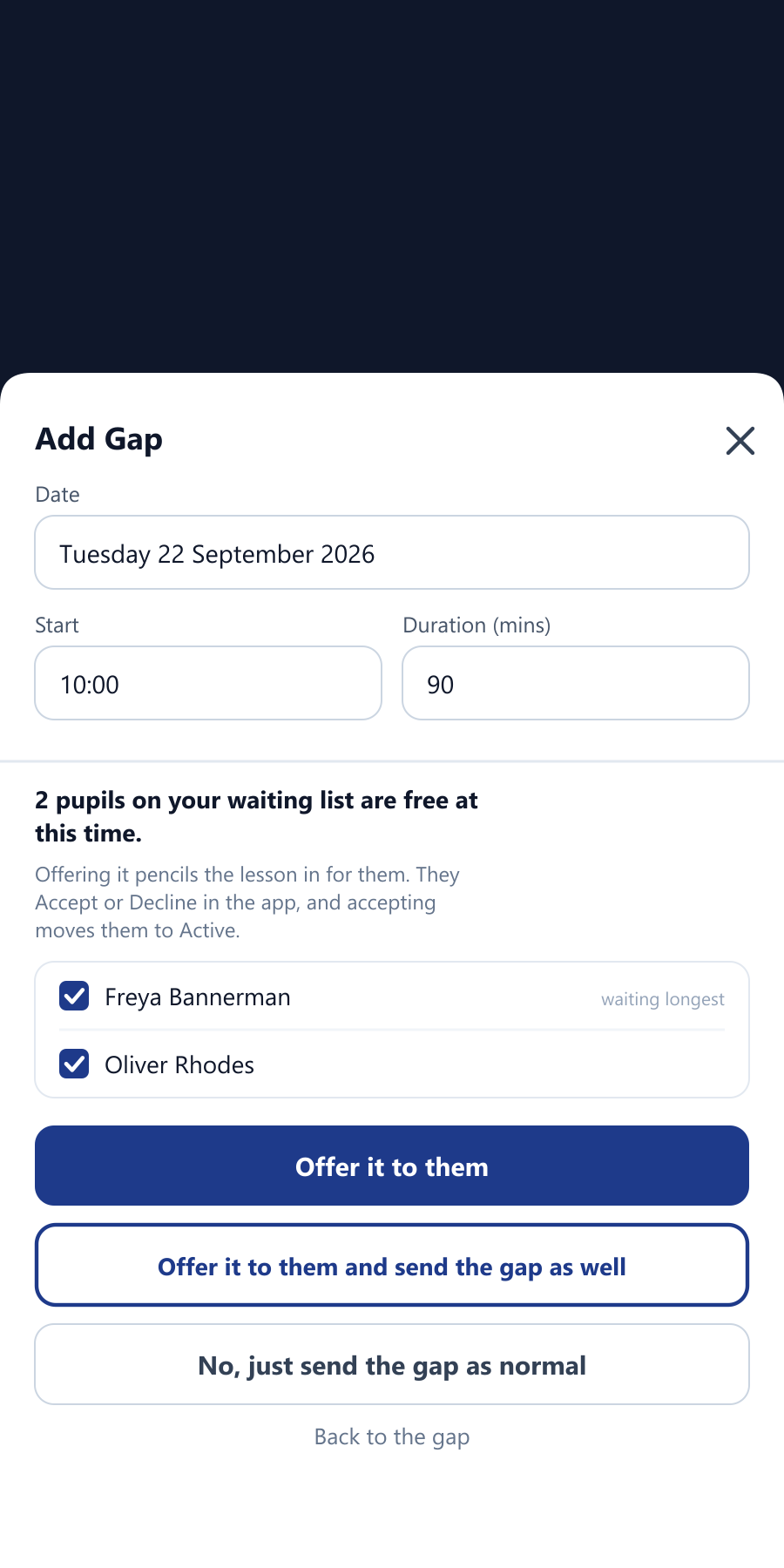
The question Create gap asks when somebody on your waiting list is free.
Your money
Your income was all there before, but only as a list you had to add up yourself. Now it's totalled at the top of the Money screen, against the period before it.
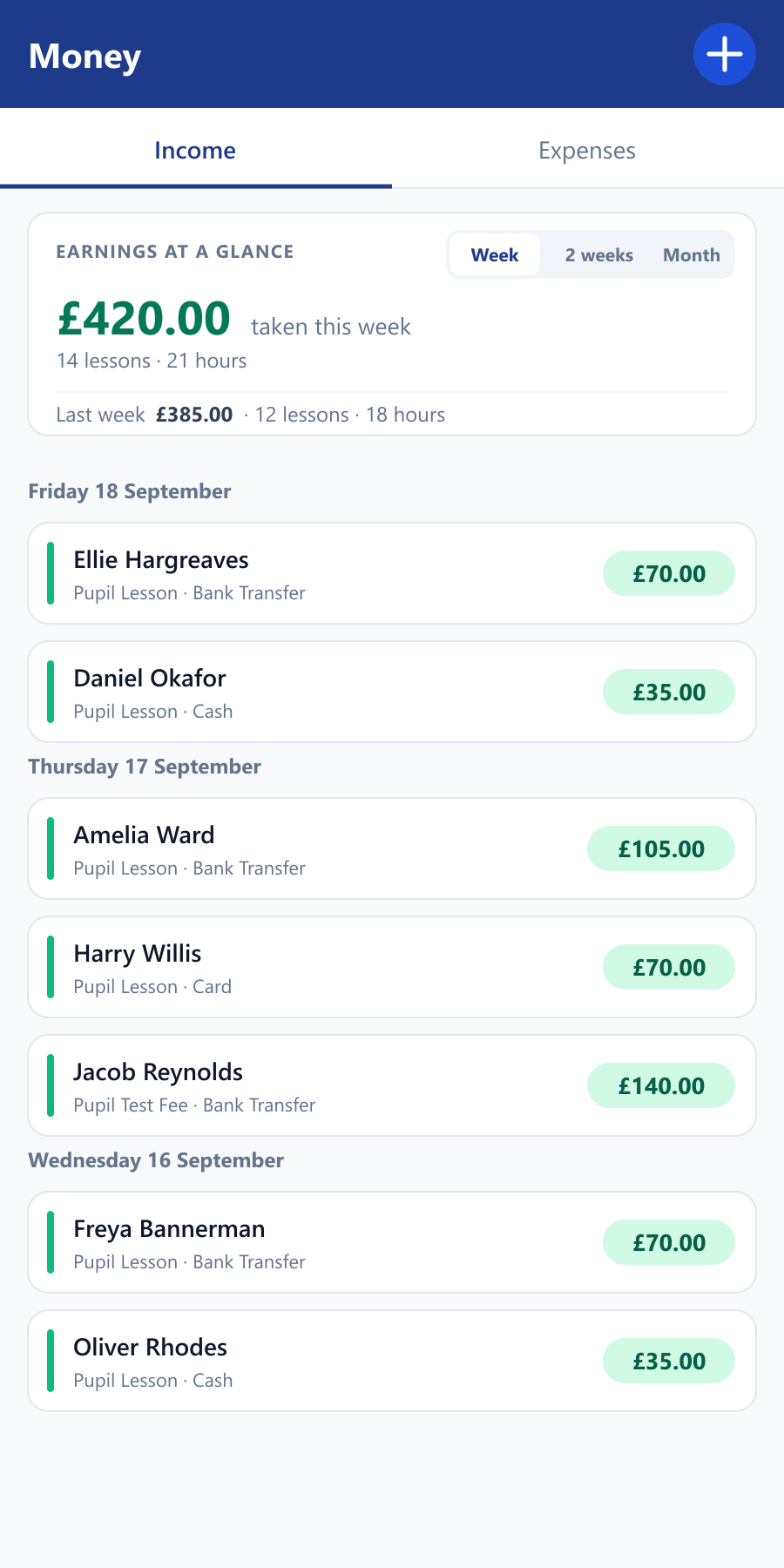
Earnings at a glance, at the top of the Money screen.
Progress tracking
Work through the syllabus skill by skill, from under full instruction to independent. Your pupil sees exactly the same picture in their own app, so "am I nearly ready?" has an honest answer you can both point at.
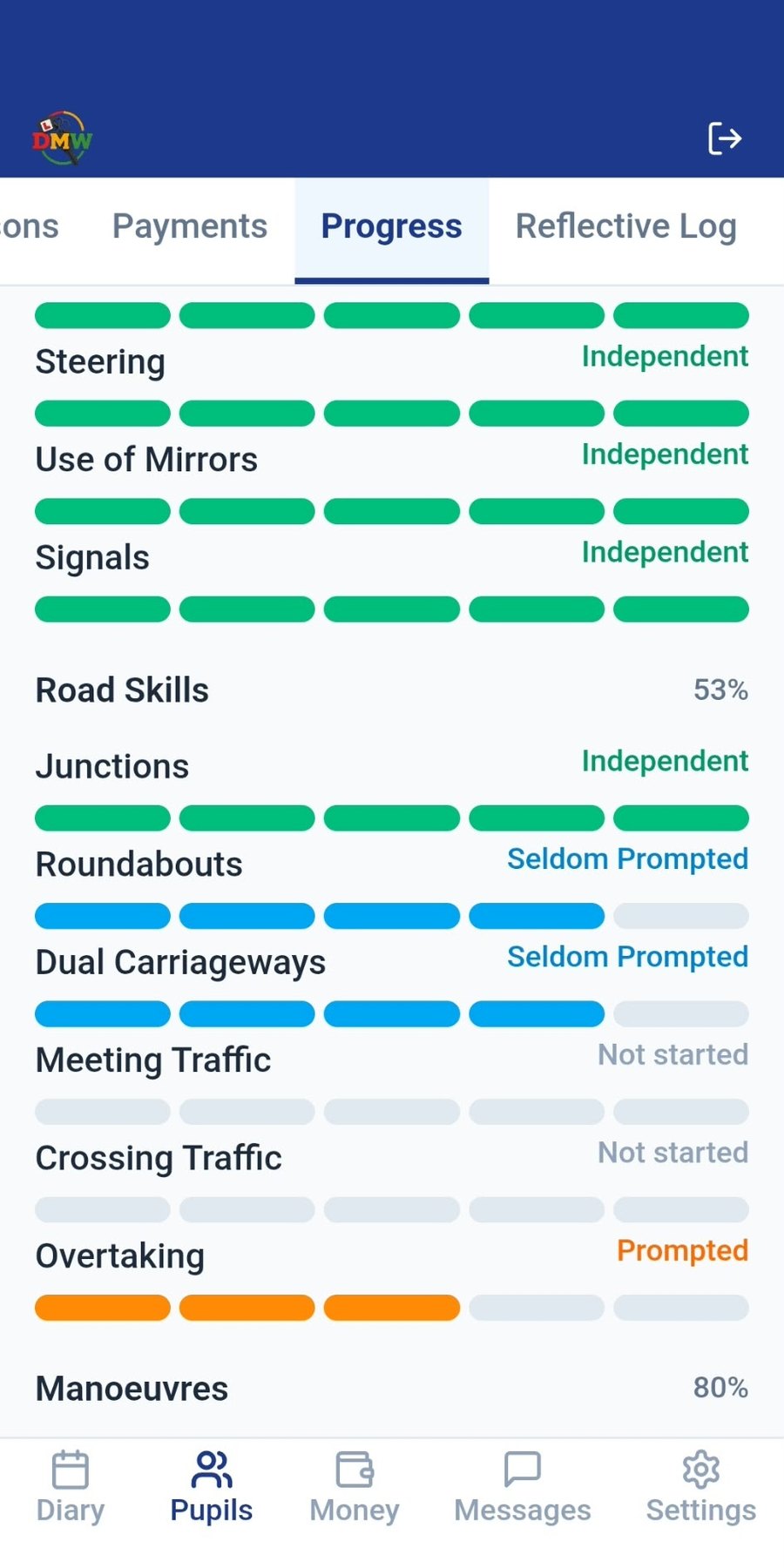
Real screenshot of pupil progress.
Reflective learning
What was achieved, what to keep improving and the aim for next time, recorded once and carried forward automatically, so every lesson starts where the last one finished, and your pupil can see it too.
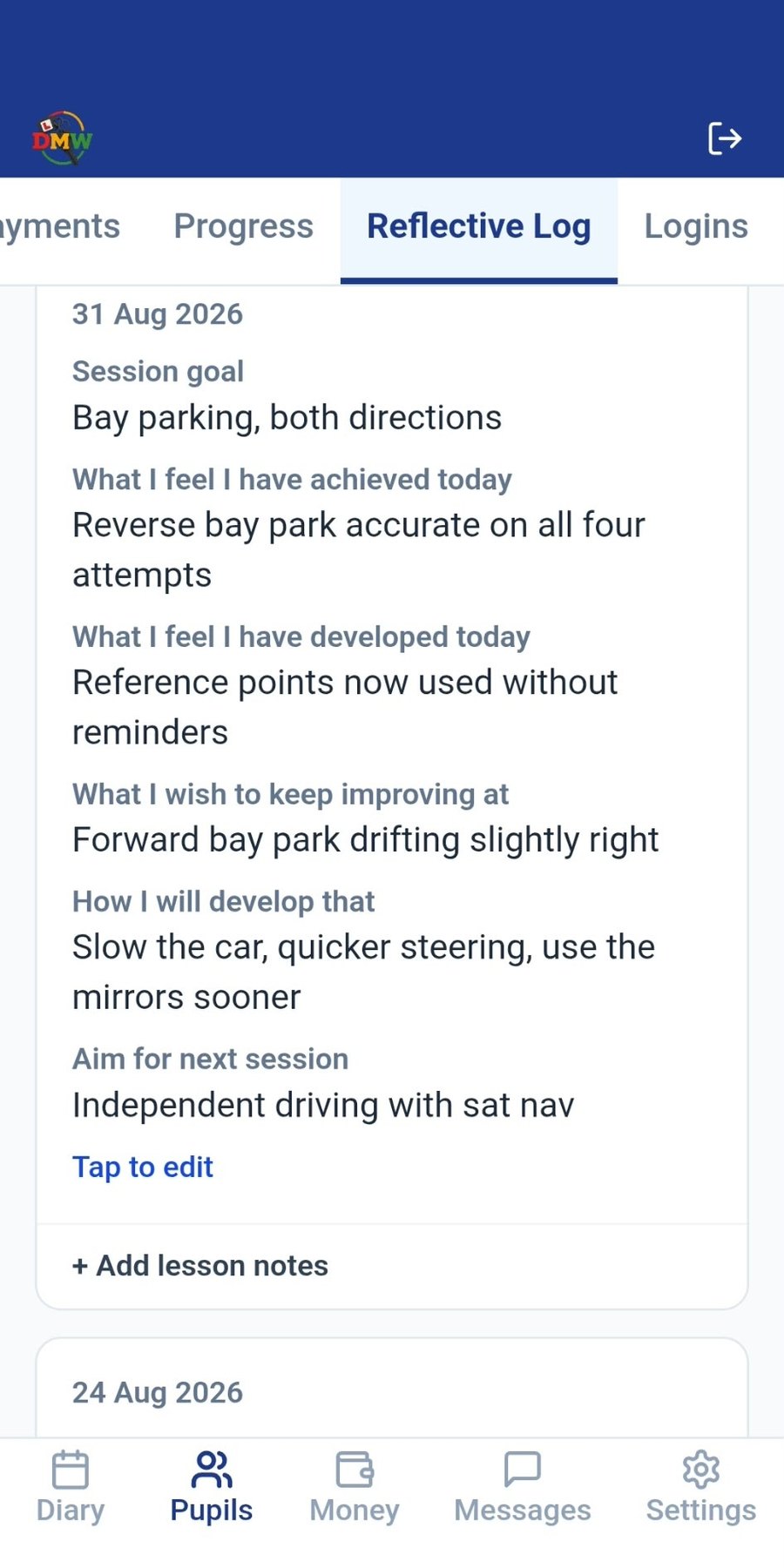
Real screenshot of a reflective log entry.
One add-on, and two things your pupils notice straight away: a professionally animated video library to work through between lessons, and your own logo and driving school name in their app instead of ours. Theory practice, a road signs reference and hazard perception clips come with it. Included in your 30-day free trial, then +£2/month (for a driving school, on the base and on every instructor seat).
🎬 Learning Videos
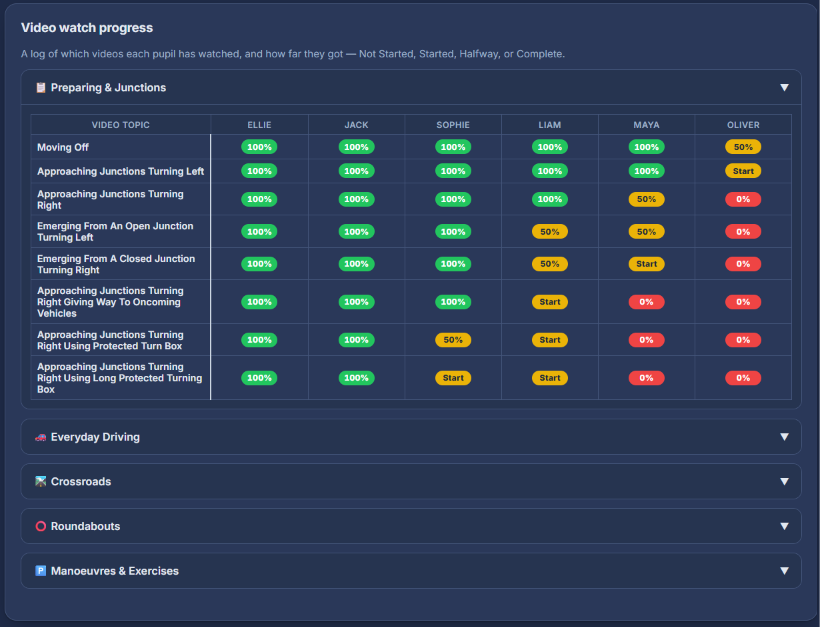
Junctions, roundabouts, manoeuvres and more, organised into modules your pupils work through in their own time. You see exactly who's watched what, right down to started, halfway or completed.
Real screenshot: your Control Centre shows every pupil's progress through the library, complete, halfway, started or not yet watched.
🎓 Theory & Hazard Perception
700 theory questions across all 14 official categories, written from the Highway Code, which is what the real test is based on, rather than DVSA's own licensed question bank, plus a 50-question mock test marked at the real 43/50 pass mark, plus a browsable road signs reference using genuine sign artwork. Pupils see exactly how many they've attempted, and how many they've got right or wrong per topic. Hazard perception clips work like the real test: pupils tap as soon as they spot a hazard developing, and the earlier they tap, the more they score.
It is revision, not a prediction. Practising here is no guarantee of passing the real thing, and Drive My Way is not affiliated with, endorsed by, or approved by DVSA. The official questions and hazard clips are DVSA’s own and are not reproduced here.
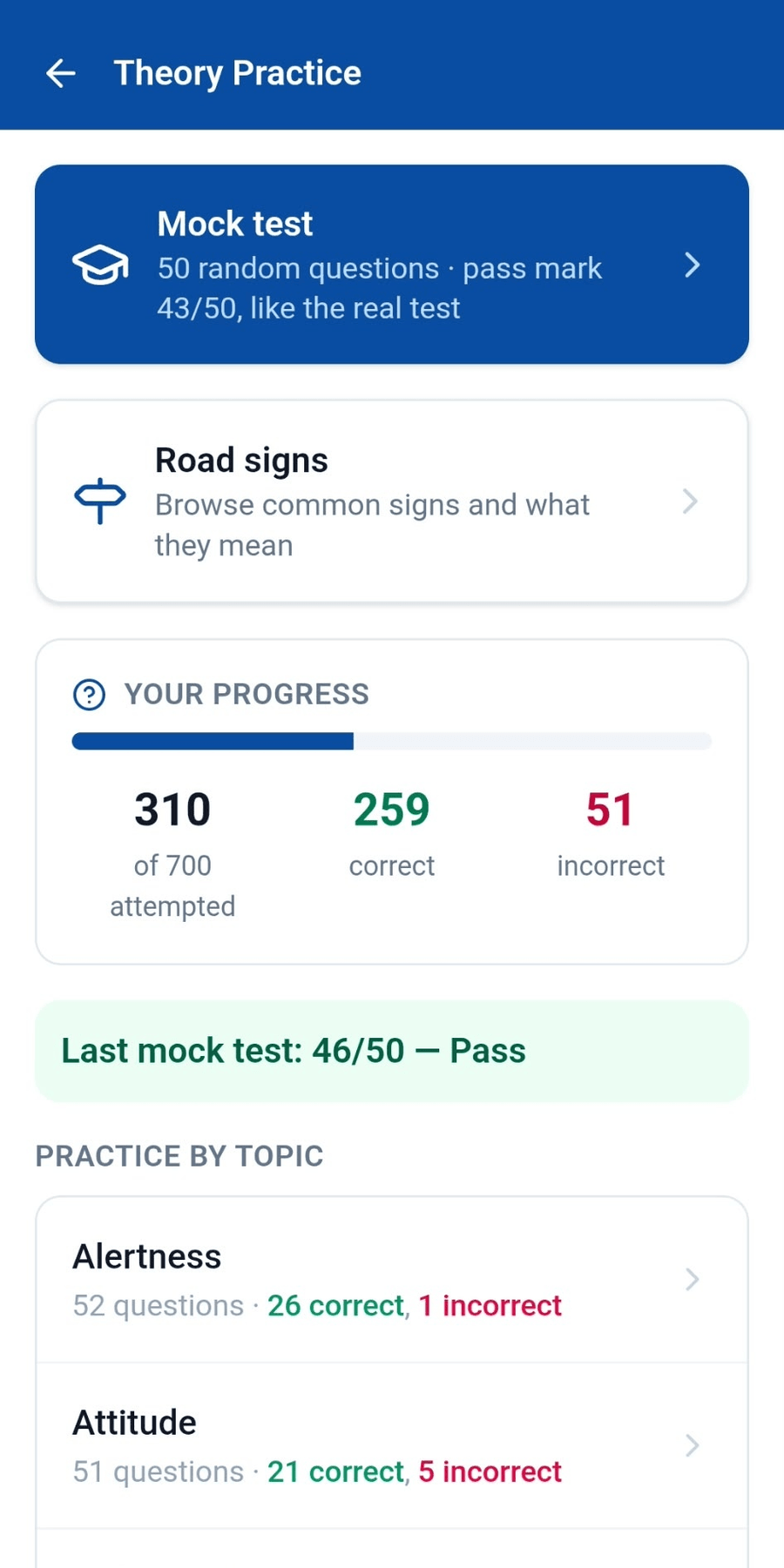
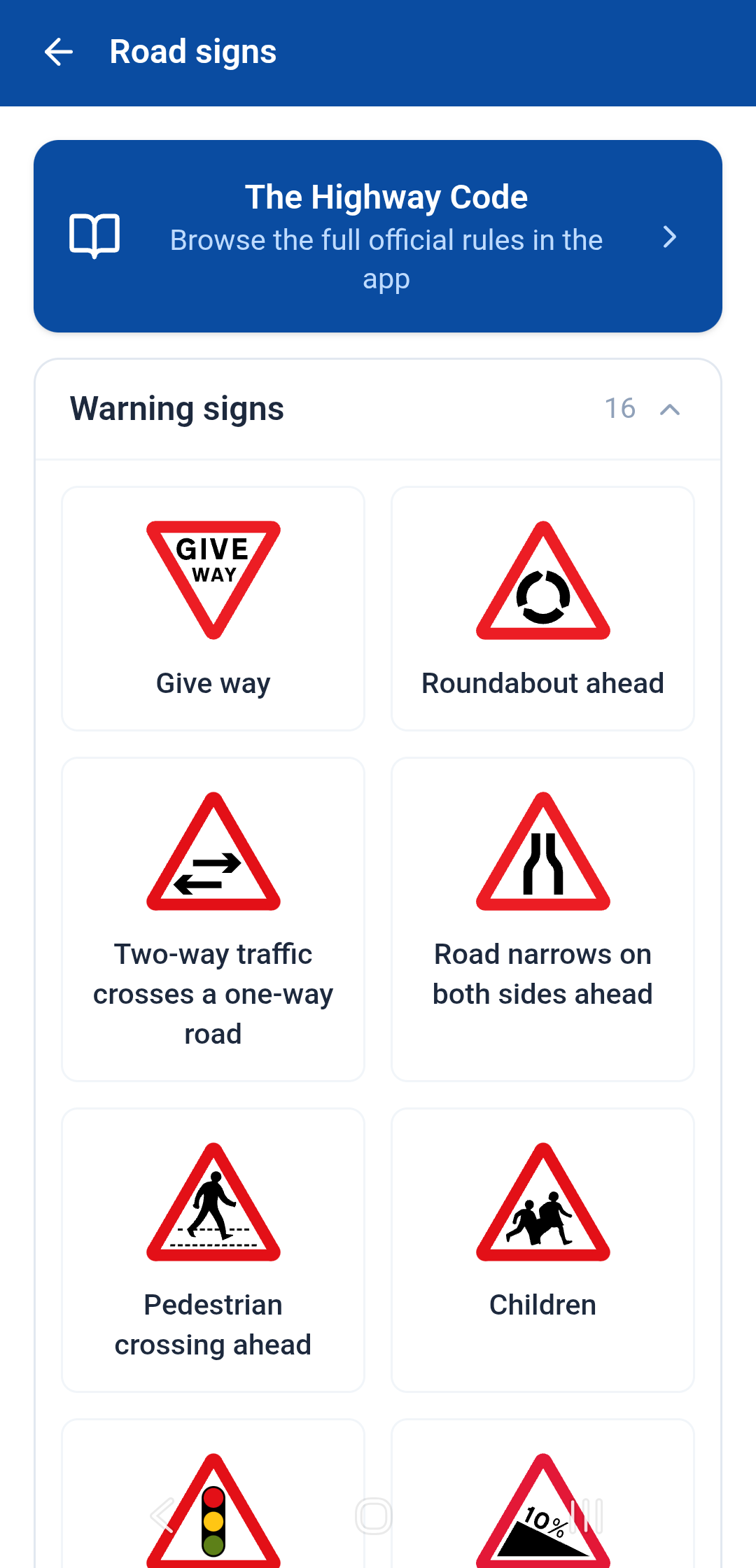
Real screenshots: the theory hub, and the road signs reference.
Every pupil gets the complete official Highway Code inside the app, not a link out to gov.uk, the real text itself, browsable by section. It's free for every pupil regardless of whether their instructor has Premium.
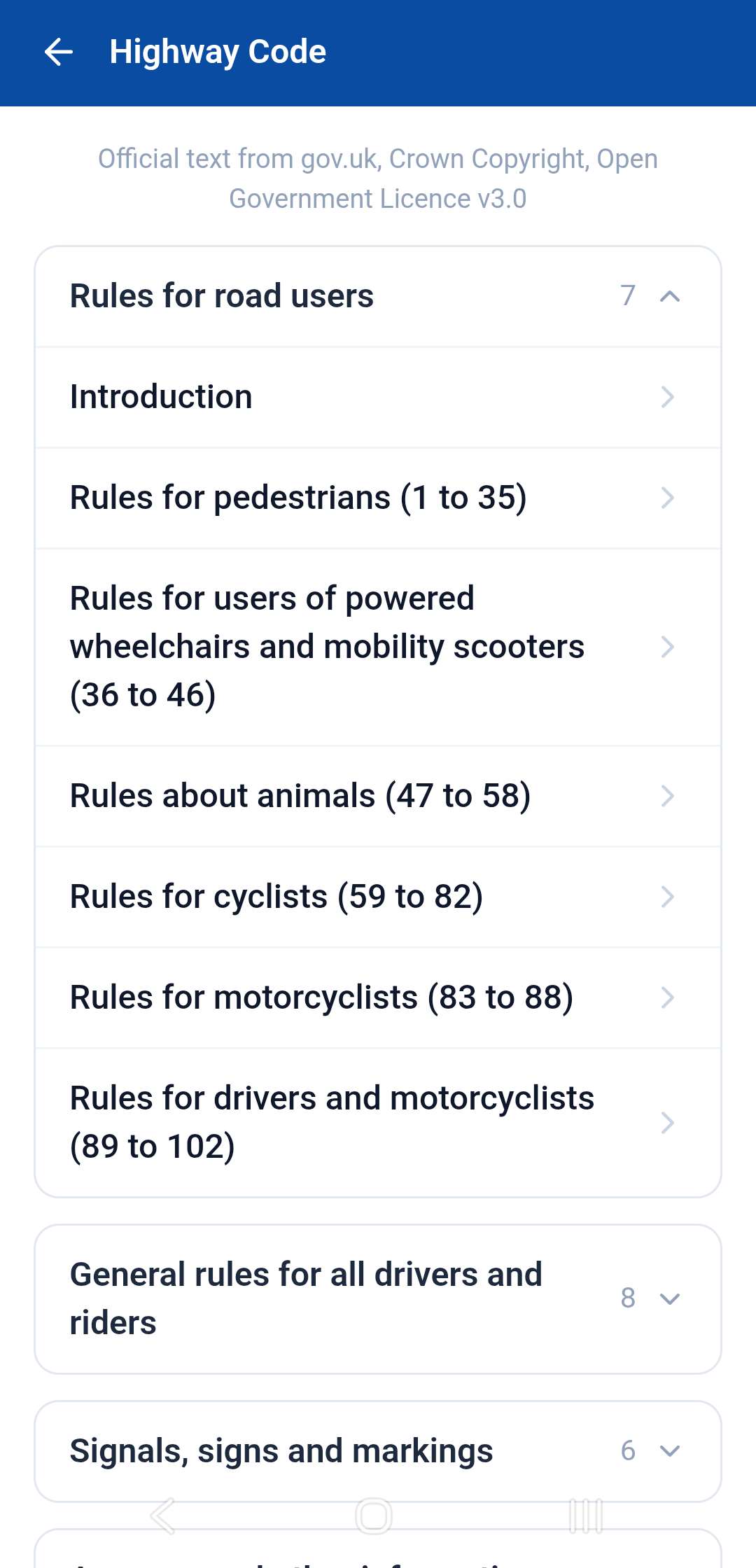
Real screenshot of the Highway Code section list.
Every instructor gets their own enquiry form. Put it on your website, or copy the link and text it to somebody who rang while you were teaching. It's the same form either way, and the leads come straight to you.
Press play and the video loads from YouTube. Everything on screen is a demo account, the pupil, the details and the messages are made up.
The rest of what makes Drive My Way a genuine replacement for spreadsheets, group chats and paper diaries.
Customise your branding, working hours, diary view and finance period so the app runs the way you actually work, and with Premium, your own logo and driving school name are what your pupils see, not ours.
Pupils can cancel from their own app in one tap. Inside your cancellation window, they get warned it may be chargeable. Then you get a simple charge / don't charge decision, not an argument.
Pupils can upload their licence straight into the app if they choose to. No more digging through a WhatsApp thread for a blurry photo when you need it.
In-app chat with photo attachments and push notifications, every conversation kept in one place, not scattered across text threads.
Mark a practice mock test on a DVSA-style marking sheet: on paper during the drive, then typed in once you're parked with the engine off. Print a blank or filled-in sheet, add a photo of the paper one, and send the report to your pupil's app, where they can see their mock tests over time.
Passed pupils keep the app for 30 days, so they can still message you about motorway lessons or Pass Plus. A congratulations message goes with your review links, such as Google or Facebook, with an optional follow-up after 7 days and a reminder before their account closes. Keep it open longer, or close it now. Driving schools choose the wording, or let instructors write their own.
Lesson credit balances and payment records visible to both sides. No more "how many hours have I got left?" messages.
Keep your books as you go. Log lesson income and business expenses like fuel, insurance and car finance, snap a photo of the receipt, and see it all in your Control Centre finances too.
Add your car's finance, insurance, car tax and MOT once in the Control Centre. Each payment goes into your expenses on the day it leaves your bank, and you get a reminder on your phone before the MOT, tax or insurance is due, right up until it's done. Driving schools can give each car to the instructor who drives it.
Alongside the video library, each instructor curates their own list of links and guides for their pupils, your local test routes, the bits you always end up sending, kept in one place in their app.
Driving schools can add instructors, see their diaries and pupil lists, and manage a whole team from one account, not just a solo tool.
All 21 questions in your pupil's app, asked the way the examiner asks them: one "tell me" before they drive, one "show me" while they're driving. The standard answers are generic, so you can replace any of them with the answer for your car: where your bonnet catch is, what your coolant markings look like. Add a photo to any answer as well, or instead of writing one: where the dipstick is in your car, which switch is the rear fog light. Your pupils see it in the app, on the car they actually learn in. On each pupil’s page you see how many of the 21 they say they know, which ones they are still unsure about, and when they last had a go, their own verdict, not a test score. Straight from the DVSA's own published list, so it's the examiner's wording.
Picking up from school, work or college instead of home? Choose Home, School, Work or Other when you book. The maps button (Google Maps, Waze or Apple Maps) and "On the way" head straight there for that lesson, and the pupil's home address stays as it is. It's saved for next time, and pupils can add their own school or work address in the app.
Pupils book their test on GOV.UK, and the app links them straight there. Choose to show them your personal reference number, which DVSA asks for, and the times you can't do a test: your other tests with your own travel time around them, and your holidays and appointments if you like. It's off until you switch it on, and it never adds anything to your diary.
Coming from another app or a spreadsheet? Import your whole pupil list from a CSV in one go, names, contacts, addresses, credit balances, and export it back out any time. Your data stays yours.
Gap slots nobody books remove themselves shortly before they'd start, and old holidays and appointments clear away once they've passed, your diary stays clean without any housekeeping.
Pupils update their own contact details and addresses in their app, and you're notified the moment anything changes, so you're never driving to an old address.
Automatic notices about your pupils and your account, all together: birthdays, new enquiries, lesson cancellations, accounts closing, MOT, tax and insurance reminders for your car, a mock test tomorrow and driving test cancel-by dates.
Leave them off, send them automatically, or choose Ask Me: on a pupil's birthday you get a notice with Send, Edit & Send or No Thanks.
Start from neutral starter terms and make them your own. Pupils accept them in the app, and the time they accepted is recorded.
Remove a pupil you no longer need, and their payments and driving test results are kept for your records.
Got a question? Get in touch and we'll show you exactly how Drive My Way would look for your driving school.
← Back to home